![[Frontend][React] Vite + React TypeScript 프로젝트 초기 세팅](https://img1.daumcdn.net/thumb/R750x0/?scode=mtistory2&fname=https%3A%2F%2Fblog.kakaocdn.net%2Fdna%2Fx25TK%2FdJMcachJfOA%2FAAAAAAAAAAAAAAAAAAAAAD_oPI0MZp-vG19tvDC9mHamzj4oraH7ZUS_cuZ5dYQz%2Fimg.png%3Fcredential%3DyqXZFxpELC7KVnFOS48ylbz2pIh7yKj8%26expires%3D1772290799%26allow_ip%3D%26allow_referer%3D%26signature%3DFZ4pjQbWGO6wh7ROc8FLrKlSlyQ%253D)

이 글은 Vite + React TypeScript를 이용하여 프로젝트 초기 세팅하는 방법에 대해 정리한 글입니다.
React 프로젝트 생성
아래 명령어를 이용해 npm과 vite 명령어를 사용하여 React TypeScript 프로젝트를 생성한다.
# npm create vite@latest [폴더명] -- --template [템플릿]
npm create vite@latest Frontend -- --template react-ts
아래와 같은 내용이 터미널에 뜨면, 패키지 이름을 정하고 Enter를 입력한다. 폴더 명과 동일하게 입력해도 되며, 소문자로만 입력이 가능하다.
❯ npm create vite@latest Frontend -- --template react-ts

Need to install the following packages:{여기에 입력}

create-vite@8.3.0

Ok to proceed? (y) y


> npx

> "create-vite" Frontend --template react-ts
생성이 완료되면 생성한 프로젝트로 이동 후, 필요한 기본 라이브러리를 다운받는다.
cd Frontend # cd [프로젝트 폴더명]

npm install
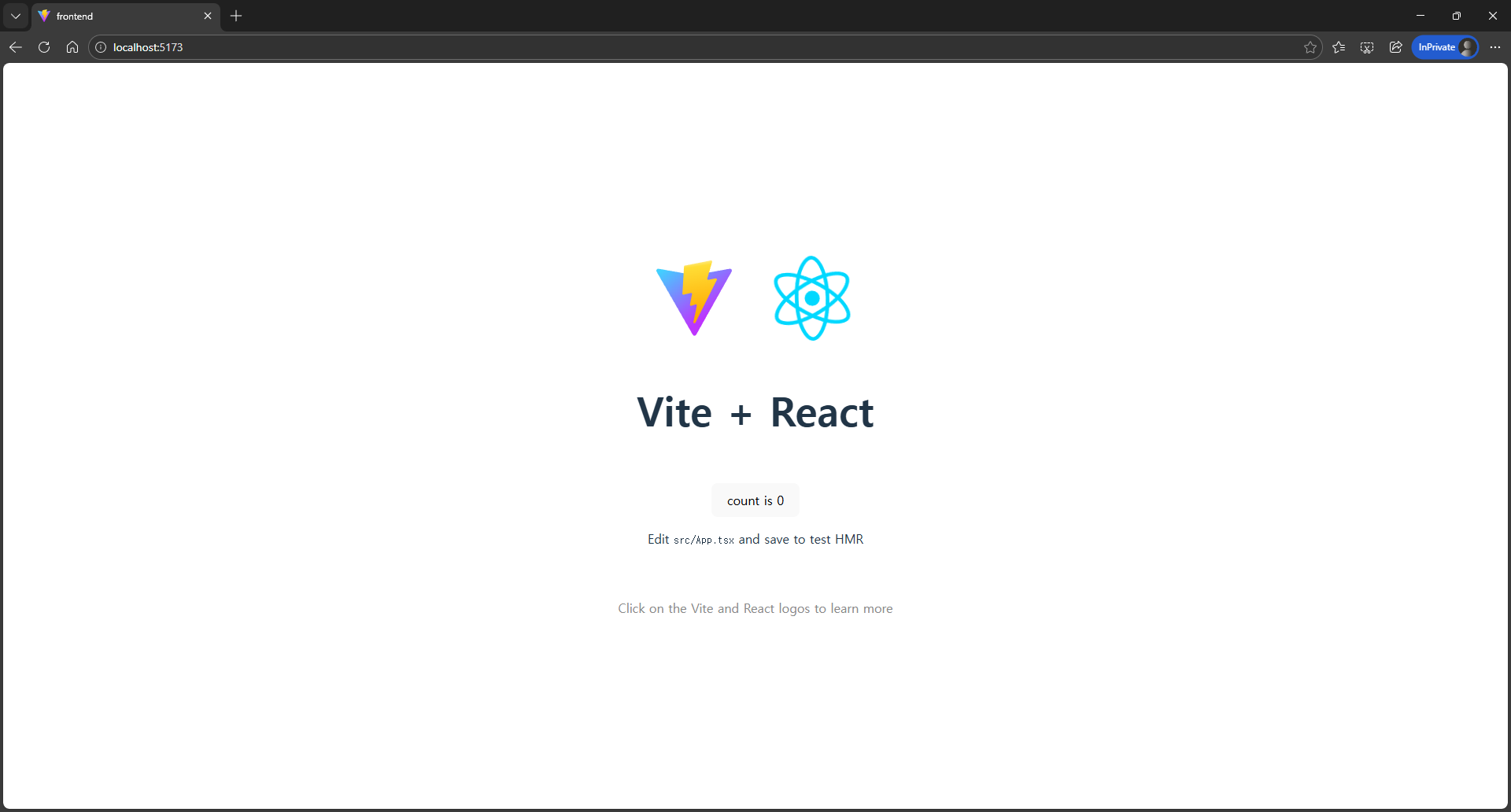
기본 라이브러리가 설치되면, 아래 명령어를 이용해 실행해서 정상적으로 설치되었는지 확인한다.
npm run devhttp://localhost:5173으로 접속해서 아래와 같은 화면이 뜨면 성공!
Tailwind CSS 설치
이번 프로젝트에는 Tailwind CSS를 사용할 예정이다. Tailwind CSS를 사용하기 위한 라이브러리를 설치해보자.
프론트엔드 프로젝트 폴더에서 아래 명령어로 Tailwind와 관련 패키지를 설치한다. (2026.02.10. 기준 V4가 최신 버전이지만, 자료가 훨씬 더 많은 V3로 설치한다.)
npm install -D tailwindcss@3.4.17 postcss autoprefixer
- tailwindcss : Tailwind CSS를 사용하기 위한 핵심 라이브러리
- postcss : 코드를 컴파일할 때 CSS를 변환해주는 도구
- autoprefixer : 브라우저마다 다른 CSS 해석 방식을 자동으로 맞춰줌
- -D (--save-dev) 옵션 : 개발할 때에만 사용하는 라이브러리라고 명시 (용량이 절약됨)
설치가 완료되면, 아래 명령어로 설정 파일을 생성한다.
npx tailwindcss init -p성공하면 tailwind.config.js와 postcss.config.js 파일이 생성된다.
먼저 tailwind.config.js 파일을 수정한다. 이 파일은 Tailwind에게 어떤 파일을 수정해야 하는지 알려주는 역할을 한다. {project}/src/ 안에 있는 모든 파일을 확인해야 하기 때문에 아래와 같이 파일을 수정한다.
/** @type {import('tailwindcss').Config} */
export default {
  content: [
    "./index.html",
    "./src/**/*.{js,ts,jsx,tsx}",
  ],
  theme: {
    extend: {
      // 프로젝트에서 사용할 커스텀 색상 또는 폰트 추가 가능
    },
  },
  plugins: [],
}
✨ VSCode Extension 추천
아래는 React로 개발하는데 도움이 될 VSCode Extension이다.
1. Auto Rename Tag
https://marketplace.visualstudio.com/items?itemName=formulahendry.auto-rename-tag
Auto Rename Tag - Visual Studio Marketplace
Extension for Visual Studio Code - Auto rename paired HTML/XML tag
marketplace.visualstudio.com
2. ES7 + React/Redux/React-Native snippets
https://marketplace.visualstudio.com/items?itemName=dsznajder.es7-react-js-snippets
ES7+ React/Redux/React-Native snippets - Visual Studio Marketplace
Extension for Visual Studio Code - Extensions for React, React-Native and Redux in JS/TS with ES7+ syntax. Customizable. Built-in integration with prettier.
marketplace.visualstudio.com
3. Tailwind CSS IntelliSense
https://marketplace.visualstudio.com/items?itemName=bradlc.vscode-tailwindcss
Tailwind CSS IntelliSense - Visual Studio Marketplace
Extension for Visual Studio Code - Intelligent Tailwind CSS tooling for VS Code
marketplace.visualstudio.com
4. Prettier - Code formatter
https://marketplace.visualstudio.com/items?itemName=esbenp.prettier-vscode
Prettier - Code formatter - Visual Studio Marketplace
Extension for Visual Studio Code - Code formatter using prettier
marketplace.visualstudio.com
'🖥️ Dev > Frontend' 카테고리의 다른 글
| [Frontend][React] React 라우터(Router) 세팅 (0) | 2026.02.13 |
|---|
since 2025.01.27. ~ 개발자를 향해....🔥